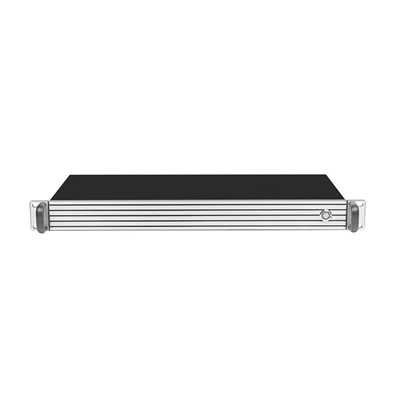
If you’ve ever streamed a live concert, followed a live webinar, or tuned into a friend’s live gaming broadcast, there’s a behind-the-scenes workhorse making that all possible: a real-time video server. When we started building our video server tools a few years back, I realized most folks don’t actually get what it does beyond “it lets videos stream live,” and that’s a problem. A lot of teams (startups, event companies, even small production houses) end up cobbling together random tools because they don’t know what a real-time video server is—and why they can’t run a smooth live stream without one. Let’s break this down like we would over a coffee, no jargon, no fluff. Video Server

First, let’s skip the textbook definition. A real-time video server is a middleman, basically. You (a content creator, event producer, or brand) send your live video feed to it—your phone’s camera, a professional camera setup, whatever—and then it sends that exact feed out to every viewer at the same time. Wait, “at the same time” is key here. If you’ve ever watched a live stream and noticed a comment pop up that says “that happened 10 seconds ago” before you saw it, that’s lag, and that’s where a good server fixes that. It’s not just a file storage server (like the ones you use for pre-recorded YouTube videos)—it’s built for low-latency, live, two-way interaction. Think: a Q&A where viewers ask questions in real time, or a live auction where everyone needs to see the bid immediately. That’s the space a real-time video server lives in.
When we first launched, we talked to a lot of users who thought they could use a regular old cloud storage service or even social media’s built-in live feature for everything. But here’s the thing: social media live is great for small audiences or personal streams, but if you’re hosting a 10,000-person product launch, a high-school football playoff, or a global corporate training, social media starts to fail. It caps your bitrate, can’t handle custom features (like password protection for members only, or analytics that tell you exactly where people drop off), and doesn’t give you control over the stream quality no matter how your viewers’ internet is. A dedicated real-time video server solves that by being the control center for your entire live video operation.
Now, let’s get to the key features that actually matter—no made-up buzzwords, just the stuff we test every day with our own clients.
First up: low-latency streaming. This is the big one. For a lot of people, latency is just “delay,” but not all delays are the same. There’s the social media delay that’s 15-30 seconds, which is fine for a casual TikTok live, but terrible for a live sports watch party where friends are texting plays in real time. There’s even delay from basic CDNs (content delivery networks) that can hit 5-10 seconds. A real-time video server cuts that down to 1-2 seconds. How? It uses lightweight protocols like WebRTC, RTMP, or SRT that don’t waste time buffering extra data. We’ve had a client who hosts live e-sports tournaments tell us their players can chat and call plays without waiting for the opposing team’s reactions, and that’s all because the server’s latency is tight. If you’re doing anything that needs viewer interaction—Q&As, live polls, gaming—this is non-negotiable.
Second: adaptive bitrate streaming (ABR). Here’s a relatable example: you’re on your phone in a café with spotty Wi-Fi, and Netflix automatically switches to a lower-quality video so it doesn’t buffer. A real-time video server does that, but for live streams. When your viewers watch your stream, the server sends chunks of video at different quality levels—1080p, 720p, 480p—based on their internet speed, device, and even how crowded their network is. No one wants to sit through a 10-second buffering wheel mid-live wedding ceremony, right? We had a non-profit client doing a live outdoor fundraiser a couple years back, and their audience was spread out—some in cities with fiber, some in rural areas with slow mobile data. Without ABR, half the rural viewers would have left, but with it, every viewer got a smooth stream. The server handles all that switching automatically, so you don’t have to micromanage quality settings.
Third: scalability. Let’s say you post on Instagram that you’re doing a live stream, and suddenly 50,000 people show up instead of the 1,000 you expected. A regular server would crash instantly. A real-time video server is built to scale up (and down) fast. That means adding more server space in minutes, not hours, to handle extra viewers. We had a retail client launch a live flash sale last quarter—they advertised it to their email list and Instagram, and attendance doubled in the last 24 hours. Our server scaled seamlessly, so every viewer got the stream without buffering, and they didn’t have to pay for more server space for weeks after, when attendance went back down. Scalability isn’t just for big events, either: a weekly live cooking class might get 200 people one week and 80 the next, and the server adjusts automatically. No overpaying for unused space, no crashes.
Fourth: content security and access controls. If you’re streaming a private corporate meeting, a pay-per-view concert, or a school’s graduation that only alumni can watch, you can’t just make the stream public. A good real-time video server lets you lock down your content. Think: password protection, domain restrictions (so only people on your company website can access the stream), token-based authentication (so each viewer gets a unique link that expires after the stream ends), and even DRM (digital rights management) to stop people from recording and sharing your content illegally. We worked with a tech startup that does live product demos for paying clients only—before they used our server, they were using a free tool that anyone could share, and they lost thousands in missed revenue. Now, only their registered clients get access, and no one can reuse the link later. That’s the kind of control a dedicated server gives you that social media can’t.
Fifth: real-time analytics and monitoring. You can’t improve your live streams if you don’t know what’s working. A real-time video server doesn’t just send out video—it tracks every detail: how many people are watching, where they’re located, if they dropped off mid-stream, what bitrate they used, even how many viewers interacted (like voted in a poll or left a comment). Before, a client of ours would host live training and have no clue if people were actually watching all the way through—they just saw a number of viewers. With our server’s analytics, they found out 15% of people dropped off in the first 10 minutes, so they moved their most important training content to the first 5 minutes. That small change boosted their completion rate by 28% in the next month. Monitoring also means you can catch issues fast: if a server’s connection drops, you get an alert instantly, so you can fix it before it affects viewers. No more ending a stream because you didn’t notice a problem until comments started blowing up.
Sixth: multi-platform distribution. You don’t have to choose between streaming to your own website, YouTube, Facebook, and TikTok— a real-time video server can send your feed to all those places at the same time. That’s called simulcasting. Before, a small business client of ours had to use separate tools to stream to each platform, which meant their feed would have a 10-second delay on YouTube and 5 on Facebook, and they’d miss comments across all channels. Now, they use our server to send one feed to every platform, so all viewers see the same live stream at the same time, and they can reply to comments from one dashboard. It saves so much time—they don’t have to toggle between 5 different apps during a stream.
Wait, let’s address a common myth here: a lot of people think “I can just use a cloud service or open source tool for this.” Don’t get me wrong, open source tools are great for testing, but when you’re running a production-level stream, you need a server that’s maintained, has support, and can handle the random stuff that goes wrong. For example, if your internet cuts out mid-stream, a good real-time video server will have a failover system to switch to a backup connection without anyone noticing. Open source tools usually don’t include that, so you end up with a cut-off stream that makes viewers leave.
We’ve seen it all, too. A small church tried to stream their Christmas Eve service on social media a few years back, and their internet cut out right before the sermon. They were panicking, because 2,000 people were waiting. They reached out to us last minute, and we were able to switch their stream to our server in 10 minutes, fix the internet issue, and get the stream back up without anyone realizing it had gone down. That’s the kind of reliability a dedicated real-time video server brings.
At the end of the day, it’s not just about the features—it’s about making your life easier. If you’re a content creator, you want to focus on your stream, not troubleshooting buffering. If you’re a brand, you want to focus on your audience, not technical glitches. A real-time video server is the behind-the-scenes tool that lets you do that.
If you’re tired of dealing with spotty streams, scaling headaches, or limited features from social media or basic tools, we’re here to help. Whether you’re planning your first live stream or your 100th, we can walk through what you need, no sales pitch, just honest advice. Reach out to us for a custom consultation to make sure your next live stream runs as smooth as possible.
Accessories References
- "WebRTC: Real-Time Communication for the Web." W3C Recommendation, 2021.
- "Adaptive Bitrate Streaming for Live Media." Netflix Technology Blog, 2022.
- "SRT: Secure Reliable Transport Protocol for Live Video Delivery." Haivision, 2020.
- "Real-Time Video Streaming Scalability: Best Practices." Cloudflare Research, 2023.
- "Content Security for Live Video Streams." Digital Video Broadcasting (DVB) Organization, 2021.
- "Live Stream Analytics: Measuring Viewer Engagement." YouTube Creator Blog, 2022.
Shenzhen TranScreen Technology Co., Ltd.
As one of the most professional video server manufacturers and suppliers in China, we have world-leading production equipment and strong manufacturing capabilities. Please feel free to buy customized video server made in China here from our factory. Contact us for quotation.
Address: No.168, Baoyuan Road, Baoan Dst., SZ, China
E-mail: maggie@transcreen.com
WebSite: https://www.transcreen.com/
